Expected vs actual profit
See intended gross profit from the original Purchase Order costs, then compare it with the actual position as supplier invoices are recorded.

PROMOS Evolution brings the commercial side of every order together. Selling prices, Purchase Order costs and supplier invoices feed into the Cost Sheet, showing both the profit you expected to make and the profit the job actually made.
Request a Demo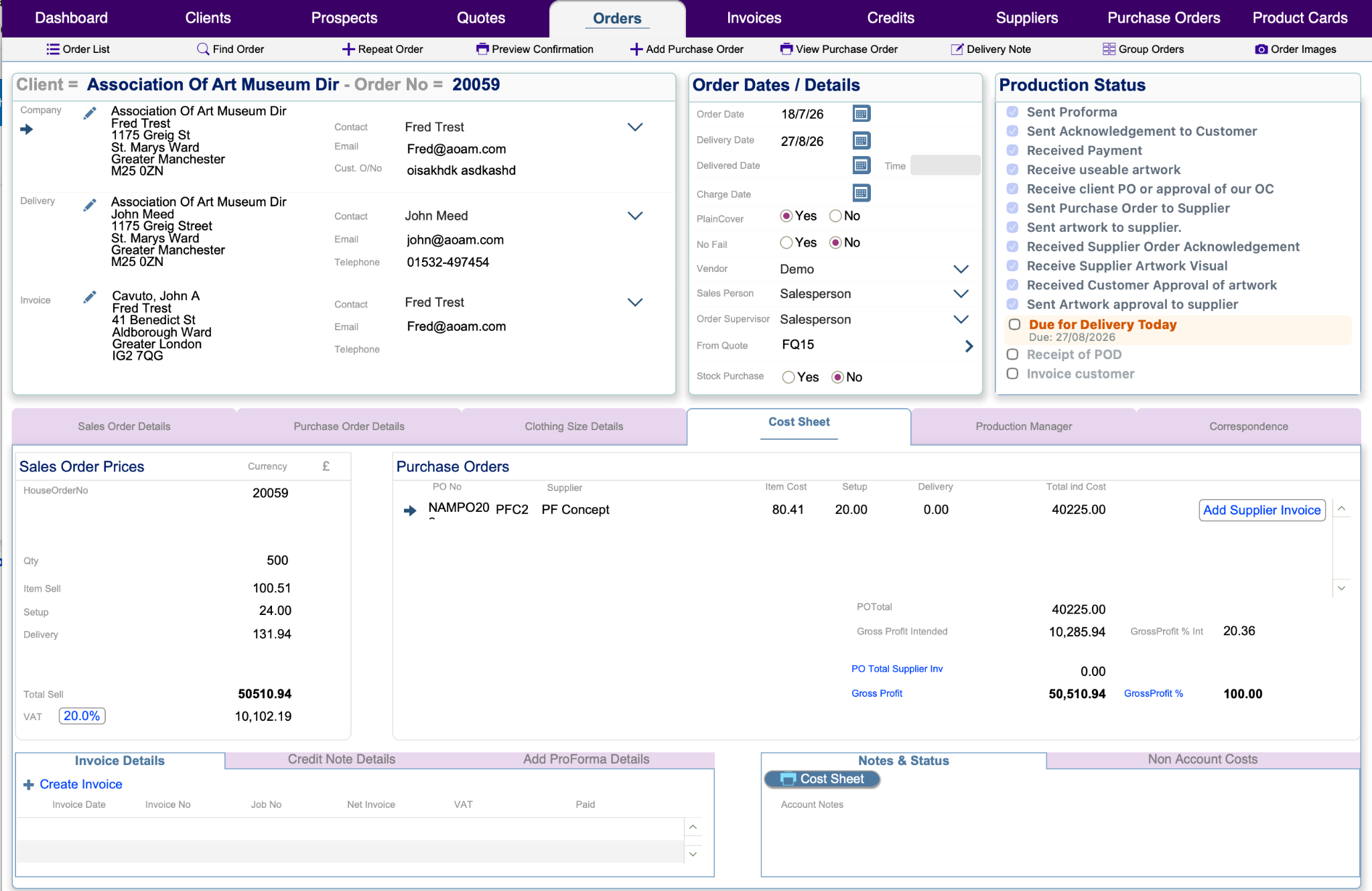
The Cost Sheet brings together the values used to sell the job and the costs incurred to fulfil it, giving the team a commercial view of the order rather than leaving margin behind at quotation stage.
See intended gross profit from the original Purchase Order costs, then compare it with the actual position as supplier invoices are recorded.
Keep Purchase Orders and supplier invoice values connected to the order they belong to, making the true cost of the job visible.
See sales value, costs and resulting gross profit together before the financial history of the job disappears into separate systems.
Job costing has been at the heart of PROMOS since the original V1 in 1997, taking a familiar promotional-distributor paper process and evolving it into a connected digital workflow.
Once the order is ready to invoice, PROMOS Evolution uses the information already held against the job rather than asking the team to rebuild the transaction elsewhere.
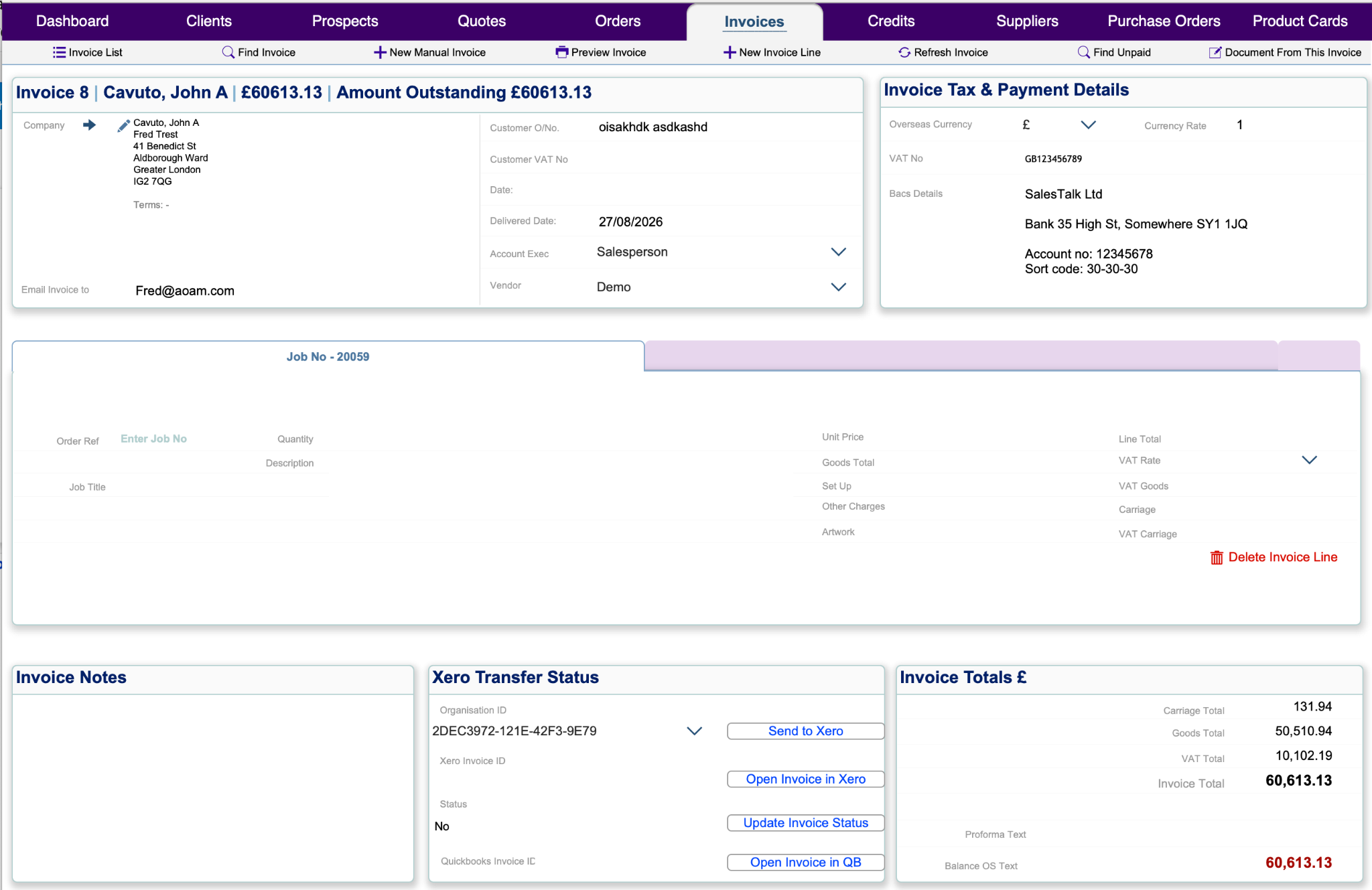
Create credit notes when a customer invoice needs to be partially or fully credited, while retaining the financial history against the original job and customer.
PROMOS Evolution keeps the commercial information moving from what you expected to make through to what the job actually returned.